> For the complete documentation index, see [llms.txt](https://unsloth.ai/docs/llms.txt). Markdown versions of documentation pages are available by appending `.md` to page URLs; this page is available as [Markdown](https://unsloth.ai/docs/zh/mo-xing/ibm-granite-4.1.md).
# IBM Granite 4.1:如何在本地运行
使用 Unsloth GGUF 运行 IBM Granite-4.1,以及如何微调!
IBM 发布了三种尺寸的 Granite-4.1 模型: **3B**, **8B** 和 **30B**。Granite-4.1 是一个长上下文稠密模型家族,专为指令遵循、工具调用、聊天、RAG 和编码场景打造。该系列模型在各自尺寸下都极具竞争力,并基于 15T tokens 训练。
了解如何运行 Unsloth Granite-4.1 Dynamic GGUF,或对该模型进行微调/RL。您可以使用我们的免费笔记本为客服支持场景微调 Granite-4.1。
**Granite-4.1 模型家族:**
* **Granite-4.1-3B 稠密版:** 轻量高效,适合本地、边缘和高吞吐任务。非常适合快速分类、信息抽取、简单 RAG、函数调用,以及在较小 GPU 上进行微调。
* **Granite-4.1-8B 稠密版:** 适用于本地助手、RAG、编码、多语言聊天和工具使用工作流的平衡型模型。如果您希望在保持内存占用可控的同时获得更强质量,这是一个很好的默认选择。
* **Granite-4.1-30B 稠密版:** 最强大的 Granite-4.1 模型。最适合更高要求的企业助手、长上下文任务、复杂 RAG、编码、多语言工作流以及智能体式工具调用场景。
### ⚙️ 使用指南
请使用以下设置以获得确定性的、遵循指令的响应:
`temperature=0.0`, `top_p=1.0`, `top_k=0`
* 温度为 `0.0`
* Top\_K = `0`
* Top\_P = `1.0`
* 推荐的最小上下文: `16,384`
* 最大上下文长度窗口: `131,072` 词元
#### Unsloth Granite-4.1 上传内容
* [`unsloth/granite-4.1-3b-GGUF`](https://huggingface.co/unsloth/granite-4.1-3b-GGUF)
* [`unsloth/granite-4.1-8b-GGUF`](https://huggingface.co/unsloth/granite-4.1-8b-GGUF)
* [`unsloth/granite-4.1-30b-GGUF`](https://huggingface.co/unsloth/granite-4.1-30b-GGUF)
## 运行 Granite-4.1 教程
在 Unsloth Studio 中运行在 llama.cpp 中运行
{% hint style="warning" %}
不要使用 **CUDA 13.2** ,否则你可能会得到乱码输出。NVIDIA 正在修复。
{% endhint %}
### 🦥 Unsloth Studio 指南
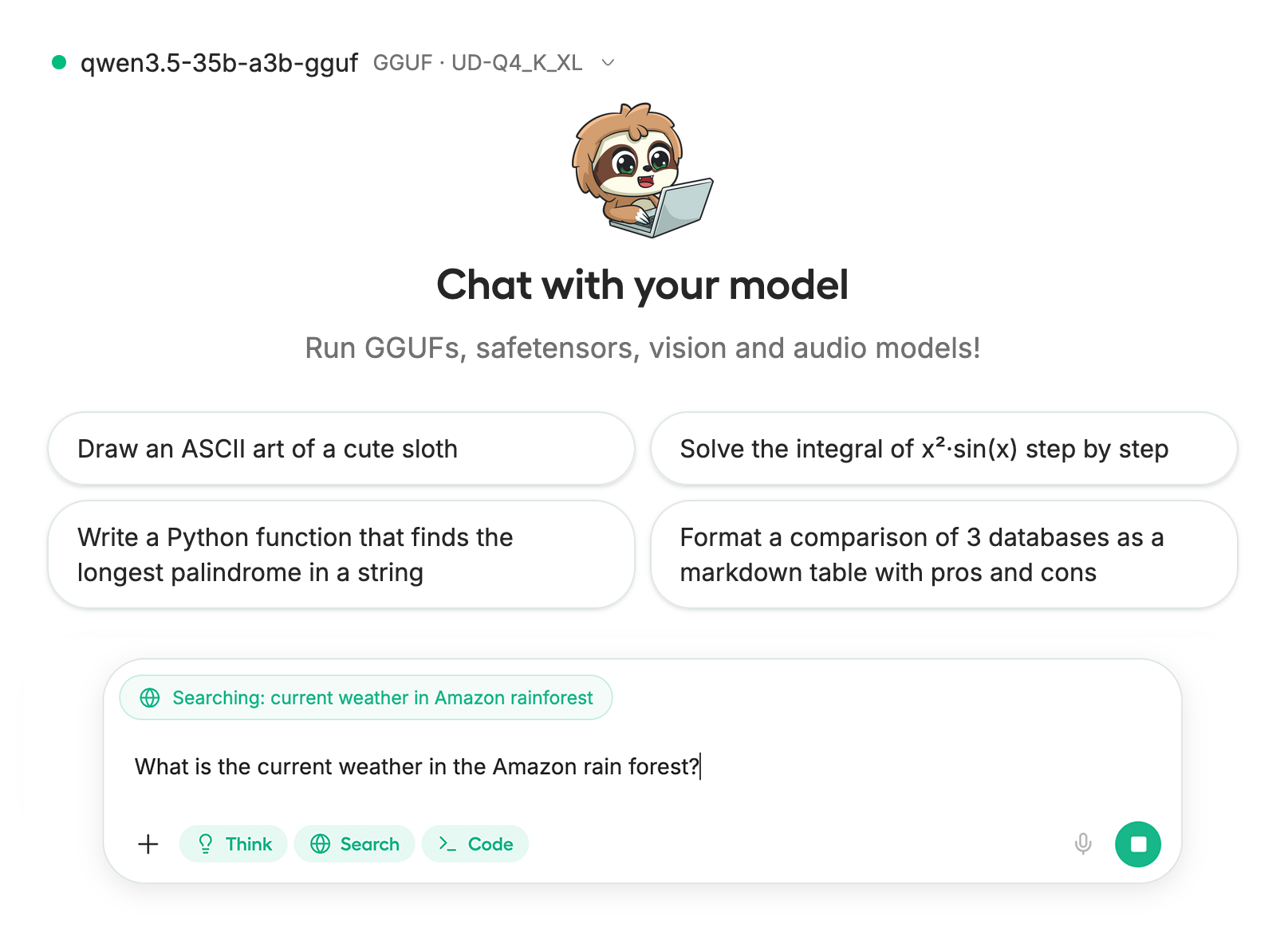
在本教程中,我们将使用 [Unsloth Studio](/docs/zh/xin/studio.md),这是我们用于运行和训练 LLM 的新 Web UI。使用 Unsloth Studio,你可以在本地运行模型并输入 **音频**、图像和文本,适用于 **Mac、Windows**和 Linux,并且:
{% columns %}
{% column %}
* 搜索、下载、 [运行 GGUF](/docs/zh/xin/studio.md#run-models-locally) 和 safetensor 模型
* **对比** 模型 **并排**
* [**自我修复** 工具调用](/docs/zh/xin/studio.md#execute-code--heal-tool-calling) + **网页搜索**
* [**代码执行**](/docs/zh/xin/studio.md#run-models-locally) (Python、Bash)
* [自动推理](https://unsloth.ai/docs/desktop#feature-deep-dive) 参数调优(temp、top-p 等)
* [训练 LLM](/docs/zh/xin/studio.md#no-code-training) 速度快 2 倍,VRAM 占用减少 70%
{% endcolumn %}
{% column %}
{% endcolumn %}
{% endcolumns %}
{% stepper %}
{% step %}
#### 安装 Unsloth
**MacOS、Linux、WSL:**
```bash
curl -fsSL https://unsloth.ai/install.sh | sh
```
**Windows PowerShell:**
```bash
irm https://unsloth.ai/install.ps1 | iex
```
{% endstep %}
{% step %}
#### 设置 Unsloth Studio(一次性)
设置会自动安装 Node.js(通过 nvm)、构建前端、安装所有 Python 依赖,并构建启用 CUDA 支持的 llama.cpp。
{% hint style="info" %}
**WSL 用户:** 系统会提示你输入 `sudo` 密码,以安装构建依赖项(`cmake`, `git`, `libcurl4-openssl-dev`).
{% endhint %}
{% endstep %}
{% step %}
#### 启动 Unsloth
**MacOS、Linux、WSL:**
```bash
source unsloth_studio/bin/activate
unsloth studio -H 0.0.0.0 -p 8888
```
**Windows Powershell:**
```bash
& .\unsloth_studio\Scripts\unsloth.exe studio -H 0.0.0.0 -p 8888
```
**然后打开 `http://localhost:8888` 在你的浏览器中。**
{% endstep %}
{% step %}
#### 搜索并下载 Granite 4.1
首次启动时,你需要创建一个密码来保护你的账户,并在之后重新登录。然后前往 [Unsloth Chat](/docs/zh/xin/studio/chat.md) 选项卡,并在搜索栏中搜索 Granite 4.1,然后下载您想要的模型和量化版本。
{% endstep %}
{% step %}
#### 运行 Granite 4.1
在使用 Unsloth Studio 时,推理参数应会自动设置,不过你仍然可以手动更改。你也可以编辑上下文长度、聊天模板和其他设置。
更多信息请查看我们的 [Unsloth Studio 推理指南](/docs/zh/xin/studio/chat.md).
{% endstep %}
{% endstepper %}
### 🦙 Llama.cpp 教程
1. 获取最新的 `llama.cpp`。你也可以按照下面的构建说明操作。将 `-DGGML_CUDA=ON` 改为 `-DGGML_CUDA=OFF` 如果你没有 GPU,或者只想进行 CPU 推理。对于 Apple Mac / Metal 设备,请设置 `-DGGML_CUDA=OFF` 然后像往常一样继续——Metal 支持默认已开启。
```shell
apt-get update
apt-get install pciutils build-essential cmake curl libcurl4-openssl-dev -y
git clone https://github.com/ggml-org/llama.cpp
cmake llama.cpp -B llama.cpp/build \
-DBUILD_SHARED_LIBS=OFF -DGGML_CUDA=ON -DLLAMA_CURL=ON
cmake --build llama.cpp/build --config Release -j --clean-first --target llama-cli llama-server llama-gguf-split
cp llama.cpp/build/bin/llama-* llama.cpp
```
2. 如果你想 `llama.cpp` 直接加载模型的话,可以按下面这样做。 `UD-Q4_K_XL` 是量化类型。您也可以将其改为其他量化版本,例如 `Q4_K_M`, `Q5_K_M`, `Q8_0` 或者在可用时使用 BF16 全精度。
```shell
./llama.cpp/llama-cli \
-hf unsloth/granite-4.1-30b-GGUF:UD-Q4_K_XL
```
3. 或者在安装后通过 Hugging Face 下载该模型 `huggingface_hub` 和 `hf_transfer`.
```python
# !pip install huggingface_hub hf_transfer
import os
os.environ["HF_HUB_ENABLE_HF_TRANSFER"] = "1"
from huggingface_hub import snapshot_download
snapshot_download(
repo_id = "unsloth/granite-4.1-30b-GGUF",
local_dir = "unsloth/granite-4.1-30b-GGUF",
allow_patterns = ["*UD-Q4_K_XL*"],
)
```
4. 运行 Unsloth 的 Flappy Bird 测试。
```shell
./llama.cpp/llama-cli \
--model unsloth/granite-4.1-30b-GGUF/granite-4.1-30b-UD-Q4_K_XL.gguf \\
--n-gpu-layers 99 \\
--seed 3407 \\
--prio 2 \\
--temp 0.0 \\
--top-k 0 \\
--top-p 1.0 \
-p "Create a single-file Python pygame implementation of Flappy Bird."
```
编辑 `--threads 32` 以设置 CPU 线程数, `--ctx-size 16384` 用于上下文长度,以及 `--n-gpu-layers 99` 用于 GPU 卸载。如果您的 GPU 内存不足,请尝试调整 GPU 层数。移除 `--n-gpu-layers` 如果您只使用 CPU 推理。
5. 对于对话模式:
```shell
./llama.cpp/llama-cli \
--model unsloth/granite-4.1-30b-GGUF/granite-4.1-30b-UD-Q4_K_XL.gguf \\
--conversation \\
--n-gpu-layers 99 \\
--seed 3407 \\
--prio 2 \\
--temp 0.0 \\
--top-k 0 \\
--top-p 1.0
```
### 在 Unsloth 中微调 Granite-4.1
Unsloth 支持包括 3B、8B 和 30B 在内的 Granite-4.1 模型进行微调。训练速度快 2 倍,使用更少的 VRAM,并支持更长的上下文长度。Granite-4.1-3B 和 Granite-4.1-8B 是本地微调的最佳起点,而 Granite-4.1-30B 则是在更高精度企业工作流中的最强模型。
* **Granite-4.0** [**免费微调笔记本**](https://colab.research.google.com/github/unslothai/notebooks/blob/main/nb/Granite4.0.ipynb) **(将模型名称改为 Granite-4.1)**
此笔记本训练一个模型,使其成为能够理解客户互动的支持客服代理,并提供分析与建议。该设置可让您训练一个能为客服人员提供实时协助的机器人。我们还展示了如何使用存储在 Google Sheet 中的数据来训练模型。
#### Granite-4.1 的 Unsloth 配置
如果您使用的是旧版 Unsloth,和/或正在本地微调,请安装最新版 Unsloth:
```python
!pip install --upgrade unsloth
```
```python
from unsloth import FastLanguageModel
import torch
model, tokenizer = FastLanguageModel.from_pretrained(
model_name = "unsloth/granite-4.1-8b",
max_seq_length = 2048, # 上下文长度——可以更长,但会占用更多内存
dtype = None, # None 表示自动检测
load_in_4bit = True, # 4bit 占用的内存要少得多
load_in_8bit = False, # 准确一些,但会占用 2 倍内存
full_finetuning = False, # 我们现在支持完整微调了!
# token = "hf_...", # 如果使用受限模型,请使用一个
)
```
要强制重新安装最新版 Unsloth 和 Unsloth Zoo:
```shell
pip install --upgrade --force-reinstall --no-cache-dir unsloth unsloth_zoo
```
您可以将模型名称改为任意 Granite-4.1 模型:
```python
model_name = "unsloth/granite-4.1-3b"
model_name = "unsloth/granite-4.1-8b"
model_name = "unsloth/granite-4.1-30b"
```
对于 30B 模型,请使用更大的 GPU 或多 GPU 配置,并降低 `max_seq_length` 或者在内存不足时提高量化程度。
---
# Agent Instructions
This documentation is published with GitBook. GitBook is the documentation platform designed so that both humans and AI agents can read, navigate, and reason over technical content effectively. Learn more at gitbook.com.
## Querying This Documentation
If you need additional information that is not directly available in this page, you can query the documentation dynamically by asking a question.
Perform an HTTP GET request on the current page URL with the `ask` query parameter, and the optional `goal` query parameter:
```
GET https://unsloth.ai/docs/zh/mo-xing/ibm-granite-4.1.md?ask=&goal=
```
`ask` is the immediate question: it should be specific, self-contained, and written in natural language.
`goal` is optional and describes the broader end goal you are ultimately trying to accomplish on behalf of the user. GitBook uses it to tailor the answer towards what is most useful for that goal.
The response will contain a direct answer to the question and relevant excerpts and sources from the documentation.
Use this mechanism when the answer is not explicitly present in the current page, you need clarification or additional context, or you want to retrieve related documentation sections.