> For the complete documentation index, see [llms.txt](https://unsloth.ai/docs/llms.txt). Markdown versions of documentation pages are available by appending `.md` to page URLs; this page is available as [Markdown](https://unsloth.ai/docs/zh/mo-xing/kimi-k2.7-code.md).

# Kimi K2.7 Code：如何在本地运行

在你自己的本地设备上运行 Kimi K2.7 Code 的分步指南。

Kimi K2.7 Code 是 Moonshot AI 的智能体编程模型，基于 [K2.6](/docs/zh/mo-xing/kimi-k2.6.md) 在使用约 30% 更少的思考 token 的同时提高任务完成率。这个 1T 参数（32B 激活）的 MoE 模型支持仅思考、视觉和 256K 上下文。它在视觉、编程、智能体、长上下文和聊天任务上提供 SOTA 开源性能。全精度需要 605GB 磁盘空间；Unsloth [Dynamic](/docs/zh/ji-chu/dynamic-3.0-ggufs.md) 2-bit 需要 **325GB（-48%）**。运行 [**Kimi-K2.7-Code-GGUF**](https://huggingface.co/unsloth/Kimi-K2.7-Code-GGUF) 通过 Unsloth Studio 或 llama.cpp。

[**Unsloth Dynamic**](/docs/zh/ji-chu/dynamic-3.0-ggufs.md) **量化** 会将重要层上转为 8-bit，而 1-bit 需要 **310GB+ VRAM/RAM** 配&#x7F6E;**.** 对于 **无损** Kimi K2.7，请使用 Q8（`UD-Q8_K_XL`），仅 **大 10GB** 比 Q4（`UD-Q4_K_XL`）。 [DGX Station](/docs/zh/bo-ke/dgx-station.md).

**表：硬件要求** (单位 = 总内存：RAM + VRAM，或统一内存)

| 动态 1-bit | 动态 2-bit  | 动态 Q3      | Q8（无损） |
| -------- | --------- | ---------- | ------ |
| 310 GB   | 325-350GB | 385-470 GB | 605 GB |

### 📊 量化分析

与 [Kimi-K2.6](/docs/zh/mo-xing/kimi-k2.6.md), `UD-Q8_K_XL` 是无损的，因为 Kimi 对 MoE 权重使用 int4，对其他所有内容使用 BF16，并且 `Q8_K_XL` 遵循这一点。因此，我们在 Kimi-K2.6 转换中使用相同的动态方法。 `UD-Q4_K_XL` 类似，只是其余张量是 `Q8_0`，因此接近全精度，需要 600GB RAM/VRAM。 `UD-Q8_K_XL` 是“真正无损”的。

| 测量   | UD-Q2\_K\_XL | UD-Q4\_K\_XL | UD-Q8\_K\_XL（无损） |
| ---- | ------------ | ------------ | ---------------- |
| 磁盘空间 | 339 GB       | 584 GB       | 595 GB           |
| 困惑度  | \~2.4131     | \~1.8420     | \~1.8419         |

我们遵循了 [jukofyork](https://github.com/jukofyork)的发现，即 `const float d = max / -7;` 而不是默认的 `const float d = max / -8;` 在量化过程中仅作用于 MoE 层。这个针对原生 INT4 MoE 的双射补丁使得 `Q4_0` 量化类型将绝对误差从 1.8% 降低到接近 0%（epsilon）。例如，下方是 Kimi-K2.7-Code 的直方图，你可以看到 -8 完全未被使用：

<figure><img src="https://2657992854-files.gitbook.io/~/files/v0/b/gitbook-x-prod.appspot.com/o/spaces%2FxhOjnexMCB3dmuQFQ2Zq%2Fuploads%2FWsSY72AMu8NAmTZ1JcUQ%2Fimage.png?alt=media&amp;token=5b31677e-0c7a-4a34-94a7-7a873f096d19" alt=""><figcaption></figcaption></figure>

注意，我们还必须保持其他层为 BF16，而不是巧妙地使用 “Q4\_0”。下方我们展示两者相对于 BF16 基线的误差图。 `UD-Q8-K_XL` 在将 Q4\_0 转换为 BF16 时，除了机器 epsilon 级别的差异外，确实是“无损”的。因此，Q4\_K\_XL 因使用了 Q8\_0 而确实存在一些量化误差，而 Q8\_K\_XL 几乎无损，除了 BF16 舍入误差。

<figure><img src="https://2657992854-files.gitbook.io/~/files/v0/b/gitbook-x-prod.appspot.com/o/spaces%2FxhOjnexMCB3dmuQFQ2Zq%2Fuploads%2FswvcMMP78FBFZbqgRoB9%2Fimage.png?alt=media&amp;token=0be9b199-eb93-4f03-8843-075e012967fe" alt=""><figcaption></figcaption></figure>

对于 Q4\_K\_XL，我们也绘制了逐张量的 Q8\_0 与 BF16 误差。总体而言，Q8\_K\_XL（近乎无损）与 Q4\_K\_XL 之间存在一些误差，但不多。

<figure><img src="https://2657992854-files.gitbook.io/~/files/v0/b/gitbook-x-prod.appspot.com/o/spaces%2FxhOjnexMCB3dmuQFQ2Zq%2Fuploads%2FlrzkcdP1zDT53Mok23g6%2Fimage.png?alt=media&amp;token=542ea4cd-8e7e-4e29-b4f0-151d9ed9fdca" alt=""><figcaption></figcaption></figure>

### :gear: 使用指南

Kimi K2.7 Code 是 **仅思考**，并且 **`preserve_thinking` 始终启用**。不支持即时模式。

| 默认（思考模式）          |
| ----------------- |
| temperature = 1.0 |
| top\_p = 0.95     |

* 建议上下文长度 = `98,304` （最高可达 `262,144`)

如果模型能放下，在使用 B200 时你将获得 >100 tokens/s。我们建议 `UD-Q2_K_XL` （345GB）作为较好的尺寸/质量平衡。最佳经验法则：RAM+VRAM ≈ 量化大小；否则它仍然可以运行，只是由于卸载会更慢。

#### Kimi K2.7-Code 的聊天模板

运行 `tokenizer.apply_chat_template([{"role": "user", "content": "1+1 等于多少？"},])` 会得到：

{% code overflow="wrap" %}

```
<|im_user|>user<|im_middle|>1+1 等于多少？<|im_end|><|im_assistant|>assistant<|im_middle|><think>
```

{% endcode %}

如果我们还输入如 [Tool Calling Guide](/docs/zh/ji-chu/tool-calling-guide-for-local-llms.md)中所引用的工具，那么会看到如下内容：

{% code overflow="wrap" expandable="true" %}

```
<|im_system|>tool_declare<|im_middle|># 工具

## 函数
namespace functions {
// 将两个数字相加。
type add_number = (_: {
  // 第一个数字。
  a: string,
  // 第二个数字。
  b: string
}) => any;
// 将两个数字相乘。
type multiply_number = (_: {
  // 第一个数字。
  a: string,
  // 第二个数字。
  b: string
}) => any;
// 将两个数字相减。
type subtract_number = (_: {
  // 第一个数字。
  a: string,
  // 第二个数字。
  b: string
}) => any;
// 写一个随机故事。
type write_a_story = (_: {}) => any;
// 执行终端操作。
type terminal = (_: {
  // 你希望执行的命令，例如 `ls`、`rm`，...
  command: string
}) => any;
// 调用一个 Python 解释器来运行一些 Python 代码。
type python = (_: {
  // 要运行的 Python 代码
  code: string
}) => any;
}
<|im_end|><|im_user|>user<|im_middle|>1+1 等于多少？<|im_end|><|im_assistant|>assistant<|im_middle|><think>
```

{% endcode %}

## 运行 Kimi K2.7 Code 指南

### 🦥 在 Unsloth Studio 中运行 Kimi-K2.7-Code

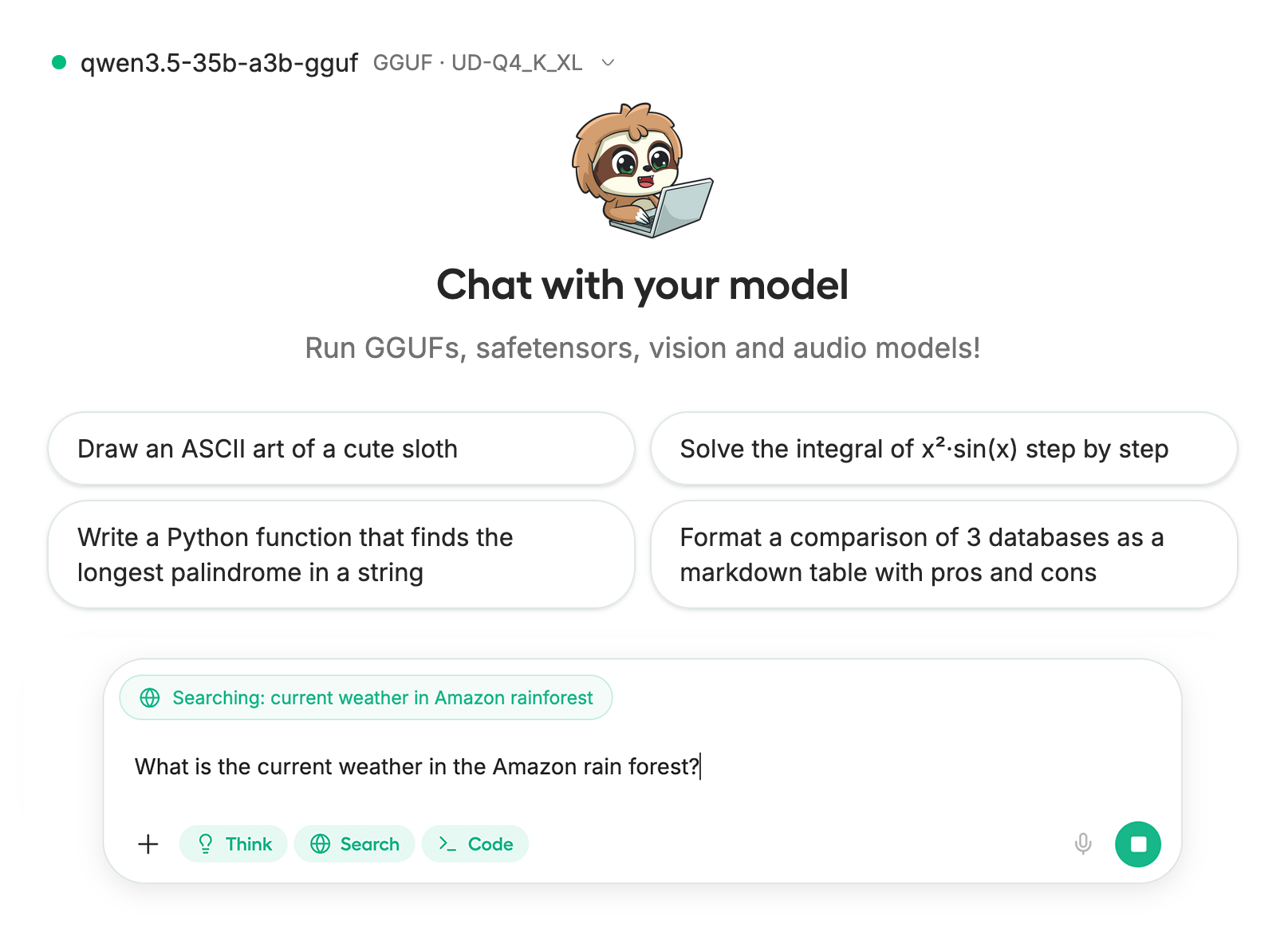
Kimi K2.7 Code 可以运行在 [Unsloth Studio](/docs/zh/xin/studio.md)，这是一个用于本地 AI 的开源 Web UI。 **Unsloth Studio 会自动卸载到 RAM，并检测多 GPU 配置**。借助 Unsloth Studio，你可以在本地运行模型 **MacOS、Windows**、Linux 上以及：

{% columns %}
{% column %}

* 搜索、下载、 [运行 GGUF](/docs/zh/xin/studio.md#run-models-locally) 和 safetensor 模型
* [**自我修复** 工具调用](/docs/zh/xin/studio.md#execute-code--heal-tool-calling) + **网络搜索**
* [**代码执行**](/docs/zh/xin/studio.md#run-models-locally) （Python、Bash）
* [自动推理](https://unsloth.ai/docs/desktop#feature-deep-dive) 参数调优（温度、top-p 等）
* 通过 llama.cpp 实现快速 CPU + GPU 推理
* [训练 LLM](/docs/zh/xin/studio.md#no-code-training) 速度提升 2 倍，显存减少 70%
  {% endcolumn %}

{% column %}

<div data-with-frame="true"><figure><img src="https://2657992854-files.gitbook.io/~/files/v0/b/gitbook-x-prod.appspot.com/o/spaces%2FxhOjnexMCB3dmuQFQ2Zq%2Fuploads%2FFeQ0UUlnjXkDdqhcWglh%2Fskinny%20studio%20chat.png?alt=media&amp;token=c2ee045f-c243-4024-a8e4-bb4dbe7bae79" alt=""><figcaption></figcaption></figure></div>
{% endcolumn %}
{% endcolumns %}

{% stepper %}
{% step %}
**安装并启动 Unsloth**

要安装，请在终端中运行：

MacOS、Linux、WSL：

```bash
curl -fsSL https://unsloth.ai/install.sh | sh
```

Windows PowerShell：

```bash
irm https://unsloth.ai/install.ps1 | iex
```

**启动 Unsloth**

MacOS、Linux、WSL 和 Windows：

```bash
unsloth studio -H 0.0.0.0 -p 8888
```

然后打开 `http://127.0.0.1:8888` （或你指定的 URL）在浏览器中。
{% endstep %}

{% step %}
**搜索并下载 Kimi K2.7-Code**

Unsloth Studio 会自动卸载到 RAM，并检测多 GPU 配置。首次启动时，你需要创建密码以保护账户，并在之后重新登录。

然后前往 [Unsloth Chat](/docs/zh/xin/studio/chat.md) 选项卡并搜索 **Kimi-K2.7 Code** 在搜索栏中下载你想要的模型和量化版本。确保你有足够的算力来运行模型。

<div data-with-frame="true"><figure><img src="https://2657992854-files.gitbook.io/~/files/v0/b/gitbook-x-prod.appspot.com/o/spaces%2FxhOjnexMCB3dmuQFQ2Zq%2Fuploads%2FV4uC7CyCwbiNpCfU7Cdx%2FScreenshot%202026-06-14%20at%2010.36.24%E2%80%AFPM.png?alt=media&amp;token=c6eb8013-dffd-49fb-8a46-cf82574e5793" alt="" width="563"><figcaption></figcaption></figure></div>
{% endstep %}

{% step %}
**运行 Kimi-K2.7-Code**

在使用 Unsloth Studio 时，推理参数应会自动设置，不过你仍然可以手动更改。你也可以编辑上下文长度、聊天模板和其他设置。

更多信息请查看我们的 [Unsloth Studio 推理指南](/docs/zh/xin/studio/chat.md).

<div data-with-frame="true"><figure><img src="https://2657992854-files.gitbook.io/~/files/v0/b/gitbook-x-prod.appspot.com/o/spaces%2FxhOjnexMCB3dmuQFQ2Zq%2Fuploads%2FTbH2CrUTG2TWwgOP74GF%2FGemma%204%20example.gif?alt=media&amp;token=56409d06-3735-4531-97c0-af9968371a26" alt="" width="563"><figcaption><p>使用工具调用运行 Qwen3.6 的示例</p></figcaption></figure></div>
{% endstep %}
{% endstepper %}

### 🦙 在 llama.cpp 中运行 Kimi K2.7 Code

在本指南中，我们将运行 `UD-Q2_K_XL` 量化版本，它至少需要 345GB RAM。你可以自由更改量化类型。GGUF： [**Kimi-K2.7-Code-GGUF**](https://huggingface.co/unsloth/Kimi-K2.7-Code-GGUF)

在这些教程中，我们将使用 [llama.cpp](llama.cpphttps://github.com/ggml-org/llama.cpp) 进行快速本地推理，尤其是如果你有 CPU。

{% stepper %}
{% step %}
获取最新的 `llama.cpp` **在** [**GitHub 此处**](https://github.com/ggml-org/llama.cpp)。你也可以按照下面的构建说明进行。更改 `-DGGML_CUDA=ON` 改为 `-DGGML_CUDA=OFF` 如果你没有 GPU，或者只想进行 CPU 推理。 **对于 Apple Mac / Metal 设备**，设置 `-DGGML_CUDA=OFF` 然后照常继续——Metal 支持默认已开启。

```bash
apt-get update
apt-get install pciutils build-essential cmake curl libcurl4-openssl-dev -y
git clone https://github.com/ggml-org/llama.cpp
cmake llama.cpp -B llama.cpp/build \\
    -DBUILD_SHARED_LIBS=OFF -DGGML_CUDA=ON
cmake --build llama.cpp/build --config Release -j --clean-first --target llama-cli llama-mtmd-cli llama-server llama-gguf-split
cp llama.cpp/build/bin/llama-* llama.cpp
```

{% endstep %}

{% step %}
**我们先获取一张图片！** 你也可以上传图片。我们将使用 <https://raw.githubusercontent.com/unslothai/unsloth/refs/heads/main/images/unsloth%20made%20with%20love.png>，这只是我们的小徽标，用来展示如何使用 Unsloth 制作微调模型：

{% code overflow="wrap" %}

```bash
wget https://raw.githubusercontent.com/unslothai/unsloth/refs/heads/main/images/unsloth%20made%20with%20love.png -O unsloth.png
```

{% endcode %}

<figure><img src="https://2657992854-files.gitbook.io/~/files/v0/b/gitbook-x-prod.appspot.com/o/spaces%2FxhOjnexMCB3dmuQFQ2Zq%2Fuploads%2Fgit-blob-9bf7ec93680f889d7602e5f56a8d677d6a58ae6a%2Funsloth%20made%20with%20love.png?alt=media" alt="" width="188"><figcaption></figcaption></figure>

让我们获取第二张图片，地址是 <https://files.worldwildlife.org/wwfcmsprod/images/Sloth_Sitting_iStock_3_12_2014/story_full_width/8l7pbjmj29_iStock_000011145477Large_mini__1_.jpg>

{% code overflow="wrap" %}

```bash
wget https://files.worldwildlife.org/wwfcmsprod/images/Sloth_Sitting_iStock_3_12_2014/story_full_width/8l7pbjmj29_iStock_000011145477Large_mini__1_.jpg -O picture.png
```

{% endcode %}

<figure><img src="https://2657992854-files.gitbook.io/~/files/v0/b/gitbook-x-prod.appspot.com/o/spaces%2FxhOjnexMCB3dmuQFQ2Zq%2Fuploads%2Fgit-blob-4b30cc86b2c75edf95ee1ec6fe0c51fb30afd6c0%2F8l7pbjmj29_iStock_000011145477Large_mini__1_.jpg?alt=media" alt="" width="188"><figcaption></figcaption></figure>
{% endstep %}

{% step %}
你现在可以使用 `llama.cpp` 直接加载和下载模型，就像 `ollama run`。首先，选择你想要的量化类型，例如 `Q2_K_XL`。还可以使用 `export LLAMA_CACHE="folder"` 来强制 `llama.cpp` 来保存到指定位置。注意，此下载过程可能非常慢，因此最好使用下一节中的手动下载方式。

```bash
export LLAMA_CACHE="unsloth/Kimi-K2.7-Code-GGUF"
./llama.cpp/llama-cli \\
    -hf unsloth/Kimi-K2.7-Code-GGUF:UD-Q2_K_XL \\
    --temp 1.0 \\
    --top-p 0.95
```

{% endstep %}

{% step %}
如果你想手动下载模型，我们可以通过下面的代码下载模型（在安装 `pip install huggingface_hub`）之后。如果下载卡住，请查看： [Hugging Face Hub、XET 调试](/docs/zh/ji-chu/troubleshooting-and-faqs/hugging-face-hub-xet-debugging.md)

```bash
hf download unsloth/Kimi-K2.7-Code-GGUF \\
    --local-dir unsloth/Kimi-K2.7-Code-GGUF \\
    --include "*mmproj-F16*" \\
    --include "*UD-Q2_K_XL*" # 全精度请使用 "*UD-Q8_K_XL*"
```

{% endstep %}

{% step %}
然后以对话模式运行模型：

{% code overflow="wrap" %}

```bash
./llama.cpp/llama-cli \\
    --model unsloth/Kimi-K2.7-Code-GGUF/UD-Q2_K_XL/Kimi-K2.7-Code-UD-Q2_K_XL-00001-of-00008.gguf \\
    --mmproj unsloth/Kimi-K2.7-Code-GGUF/mmproj-F16.gguf \\
    --temp 1.0 \\
    --top-p 0.95
```

{% endcode %}

然后你会看到如下内容：\
![](https://2657992854-files.gitbook.io/~/files/v0/b/gitbook-x-prod.appspot.com/o/spaces%2FxhOjnexMCB3dmuQFQ2Zq%2Fuploads%2F8EGq6pk1Cuz0er9k4n3p%2Fimage.png?alt=media\&token=4a71100c-f354-4ced-9e43-a0ed05916ce2)
{% endstep %}

{% step %}
然后使用 `/image` 来加载两张图片并询问“这是什么图片”：

<figure><img src="https://2657992854-files.gitbook.io/~/files/v0/b/gitbook-x-prod.appspot.com/o/spaces%2FxhOjnexMCB3dmuQFQ2Zq%2Fuploads%2FdDbduh9D9DOOCOGO9TOH%2Fimage.png?alt=media&amp;token=62cf84a3-067c-47e5-9521-3992129201b6" alt=""><figcaption></figcaption></figure>

你会得到如下类似内容：

<figure><img src="https://2657992854-files.gitbook.io/~/files/v0/b/gitbook-x-prod.appspot.com/o/spaces%2FxhOjnexMCB3dmuQFQ2Zq%2Fuploads%2Fdd2fiwNxHQPPaSGnX1ox%2Fimage.png?alt=media&amp;token=17e35bd9-a957-4216-80a5-0e92e994b07a" alt=""><figcaption></figcaption></figure>

在第二张树懒图片中：

<figure><img src="https://2657992854-files.gitbook.io/~/files/v0/b/gitbook-x-prod.appspot.com/o/spaces%2FxhOjnexMCB3dmuQFQ2Zq%2Fuploads%2FqVOX047Ff0AUPgjg6gq6%2Fimage.png?alt=media&amp;token=b43e9af8-6fab-49b2-961a-9b0f14a05575" alt=""><figcaption></figcaption></figure>

这将得到：

<figure><img src="https://2657992854-files.gitbook.io/~/files/v0/b/gitbook-x-prod.appspot.com/o/spaces%2FxhOjnexMCB3dmuQFQ2Zq%2Fuploads%2F67rxQcN9zVxWMt2ScEM5%2Fimage.png?alt=media&amp;token=8b6ef9a4-6532-49b8-a25f-afdf66d85fe0" alt=""><figcaption></figcaption></figure>
{% endstep %}
{% endstepper %}

### 📊 基准测试

你可以在下方以表格形式查看基准测试：

<div data-with-frame="true"><figure><img src="https://2657992854-files.gitbook.io/~/files/v0/b/gitbook-x-prod.appspot.com/o/spaces%2FxhOjnexMCB3dmuQFQ2Zq%2Fuploads%2Fg3tjodYLZGnqcXqHDico%2Fkimiii.jpg?alt=media&amp;token=be63bc15-fe63-4f59-af85-5ec6acfcb2c0" alt="" width="563"><figcaption></figcaption></figure></div>

|          基准          | Kimi K2.7 Code | Kimi K2.6 | GPT-5.5 | Claude Opus 4.8 |
| :------------------: | :------------: | :-------: | :-----: | :-------------: |
|        **编程**        |                |           |         |                 |
|  Kimi Code Bench v2  |      62.0      |    50.9   |   69.0  |       67.4      |
|         程序基准         |      53.6      |    48.3   |   69.1  |       63.8      |
|    MLS Bench Lite    |      35.1      |    26.7   |   35.5  |       42.8      |
|        **智能体**       |                |           |         |                 |
| Kimi Claw 24/7 Bench |      46.9      |    42.9   |   52.8  |       50.4      |
|       MCP Atlas      |      76.0      |    69.4   |   79.4  |       81.3      |
|   MCP Mark Verified  |      81.1      |    72.8   |   92.9  |       76.4      |


---

# Agent Instructions
This documentation is published with GitBook. GitBook is the documentation platform designed so that both humans and AI agents can read, navigate, and reason over technical content effectively. Learn more at gitbook.com.

## Querying This Documentation
If you need additional information that is not directly available in this page, you can query the documentation dynamically by asking a question.

Perform an HTTP GET request on the current page URL with the `ask` query parameter, and the optional `goal` query parameter:

```
GET https://unsloth.ai/docs/zh/mo-xing/kimi-k2.7-code.md?ask=<question>&goal=<endgoal>
```

`ask` is the immediate question: it should be specific, self-contained, and written in natural language.
`goal` is optional and describes the broader end goal you are ultimately trying to accomplish on behalf of the user. GitBook uses it to tailor the answer towards what is most useful for that goal.

The response will contain a direct answer to the question and relevant excerpts and sources from the documentation.

Use this mechanism when the answer is not explicitly present in the current page, you need clarification or additional context, or you want to retrieve related documentation sections.